New releaseJuly 2026 Release

The Intelligent Pilot Logbook

Scan paper logbooks, automatically detect flights, manage your digital logbook, analyze flight experience, track pilot currency, validate records, map every route, print reports, and share your aviation journey—from student milestones to instructor records, flight school activity, and career applications.

AnalyticsPilot CurrencyRoute Map ReportsJourney RecapsAI OCRGPS DetectionMobile iOS
July 2026 Release

What's new in LogbookAI

Analytics, pilot currency, printable map reports, Journey Recap share cards, and major mobile updates—now available on web and iOS.

Web & MobileNew

Flight Insights analytics

Charts and summaries across six views—totals, hours by month, time distribution, category/class, top airports, and aircraft type—with filters, multiple chart types, and downloadable PDF/CSV reports.

Web & MobileNew

Pilot currency dashboard

FAA recency aid for passenger carrying, instrument currency, and flight review—computed from your logbook with status pills and qualifying flight lists.

WebNew

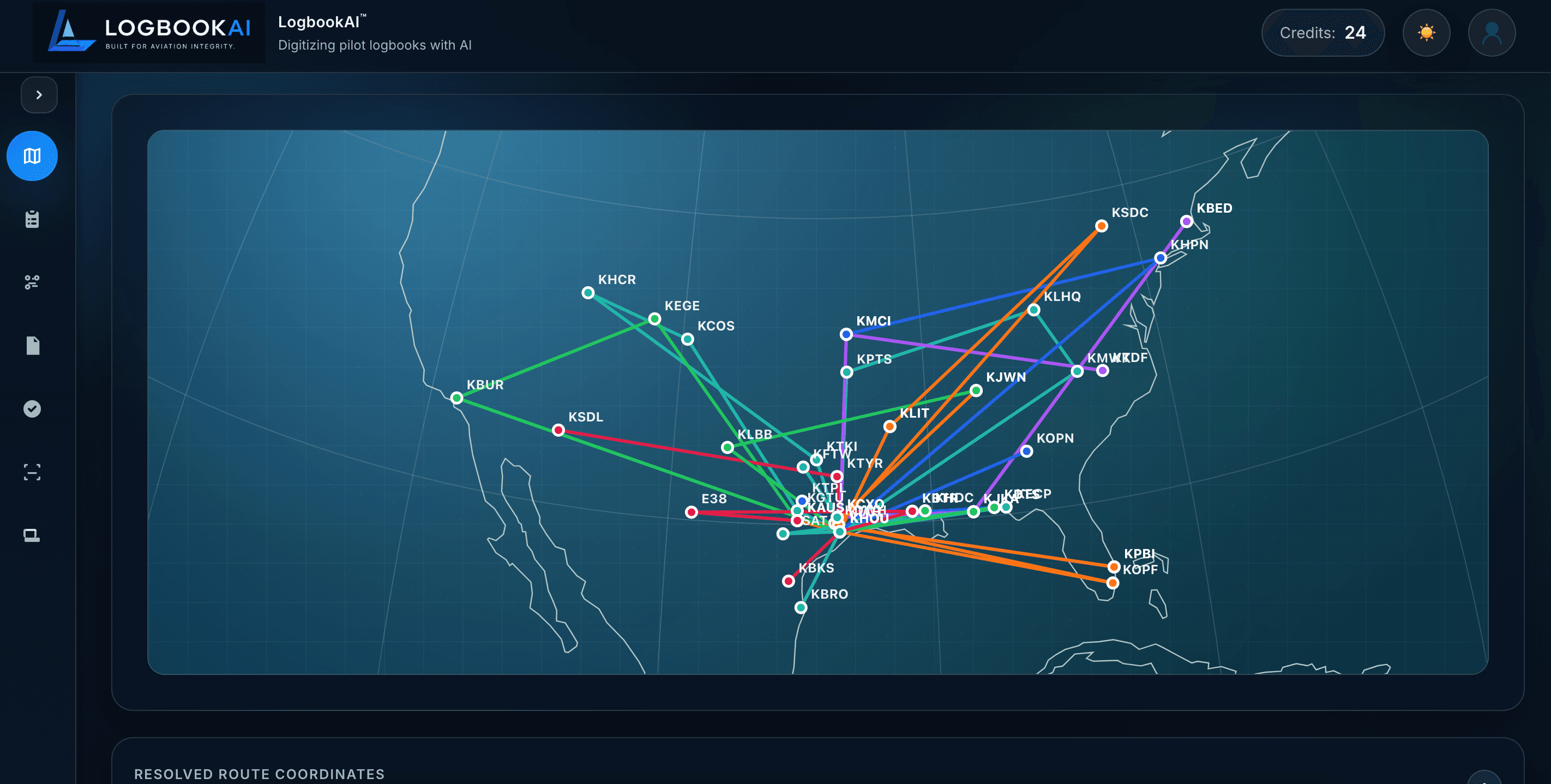
Printable route map reports

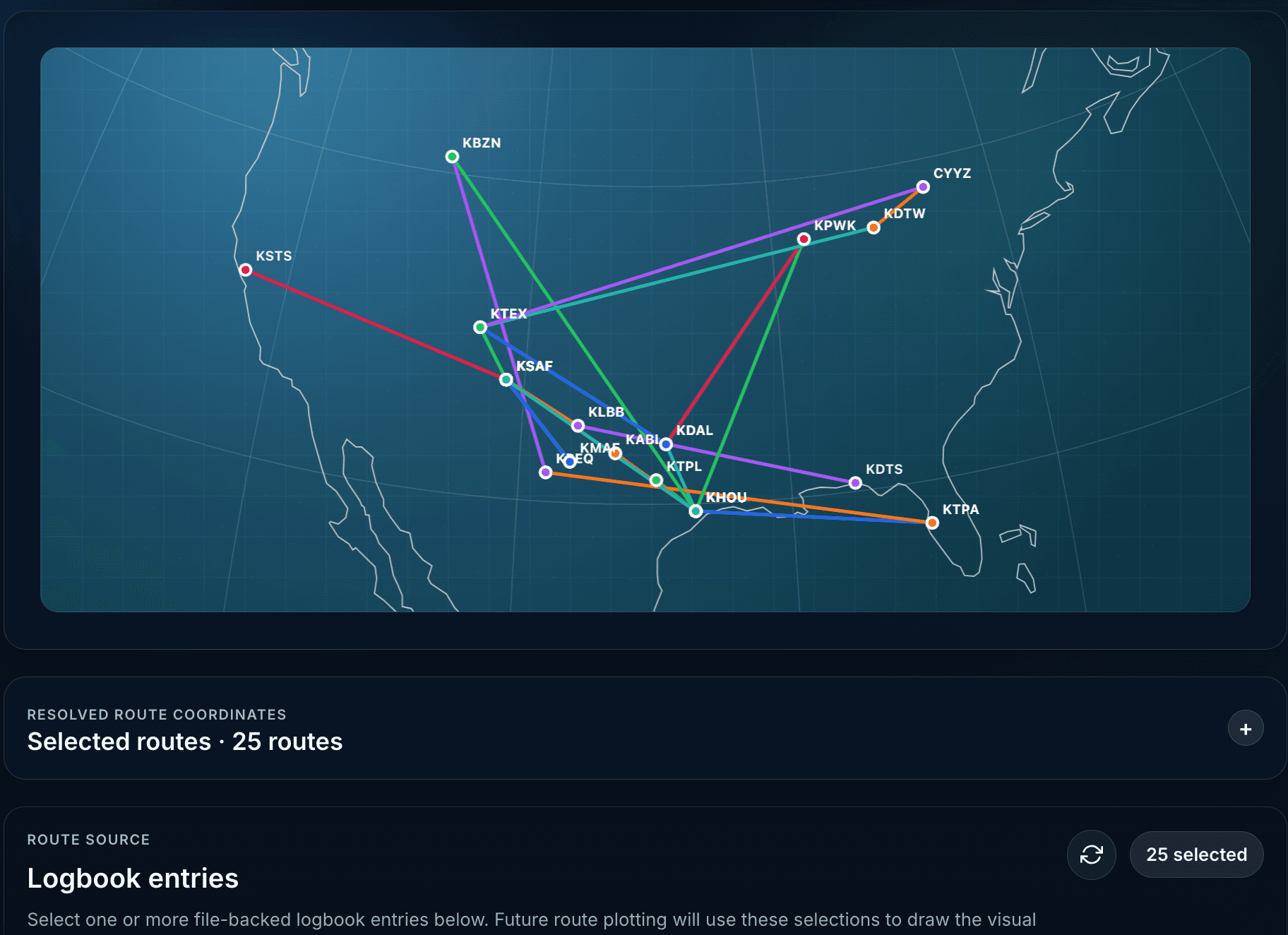
Download or print your globe map with a flight table—PDF with high-contrast map capture plus CSV export including remarks.

Web & MobileNew

Journey Recap share cards

Story-driven route map cards with highlights, timeline, and narrative captions—alongside selected flights, monthly, and annual recaps.

WebNew

Route map on every entry

Preview great-circle routes inline while editing or reviewing a flight—without leaving the logbook.

MobileNew

Mobile analytics, currency & reliability

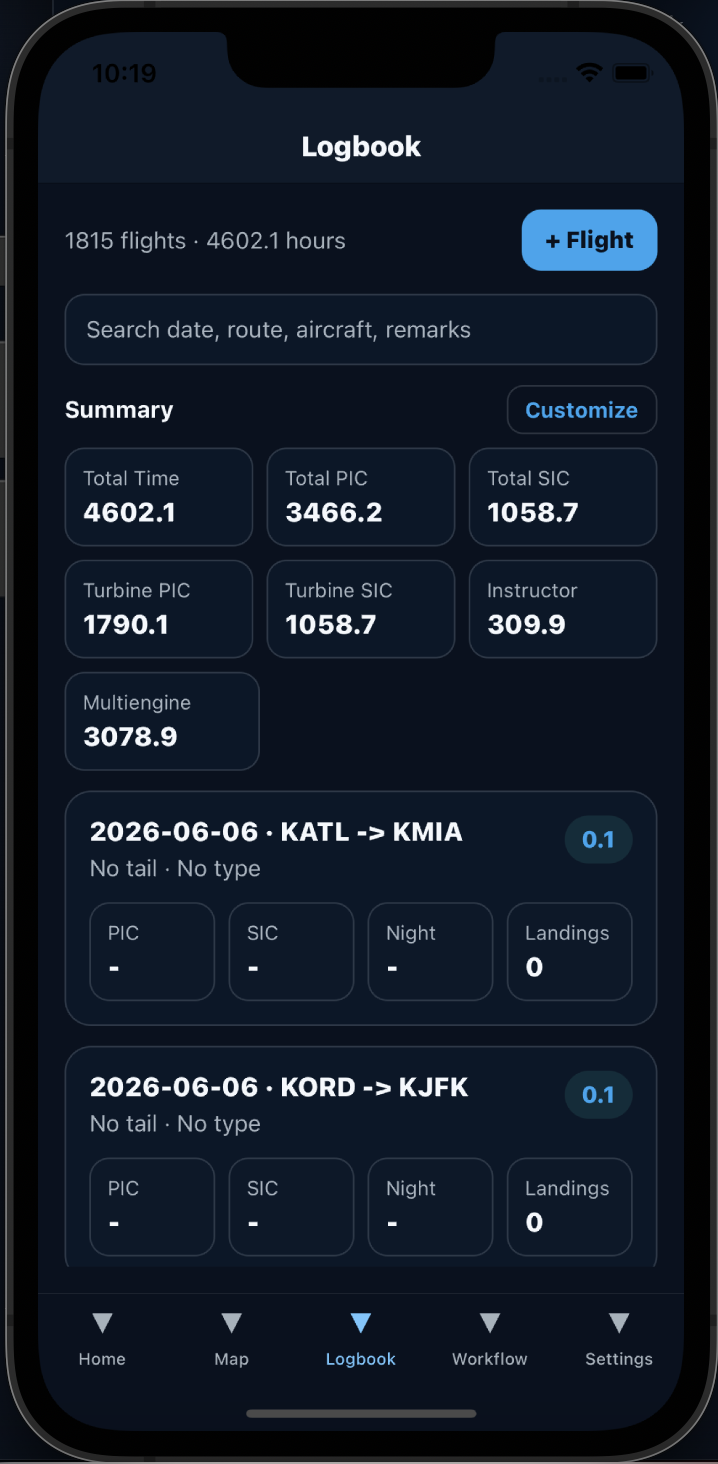
New Analytics and Currency screens on iOS, SVG tab bar icons, faster startup loading, and recap share cards from the logbook summary.

Everything pilots need to manage and share flight experience

LogbookAI is more than OCR. It is a connected system for scanning, organizing, validating, analyzing, mapping, and sharing flight experience for student pilots, instructors, aircraft owners, flight schools, and career-focused aviators.

AI OCR

Scan paper logbooks

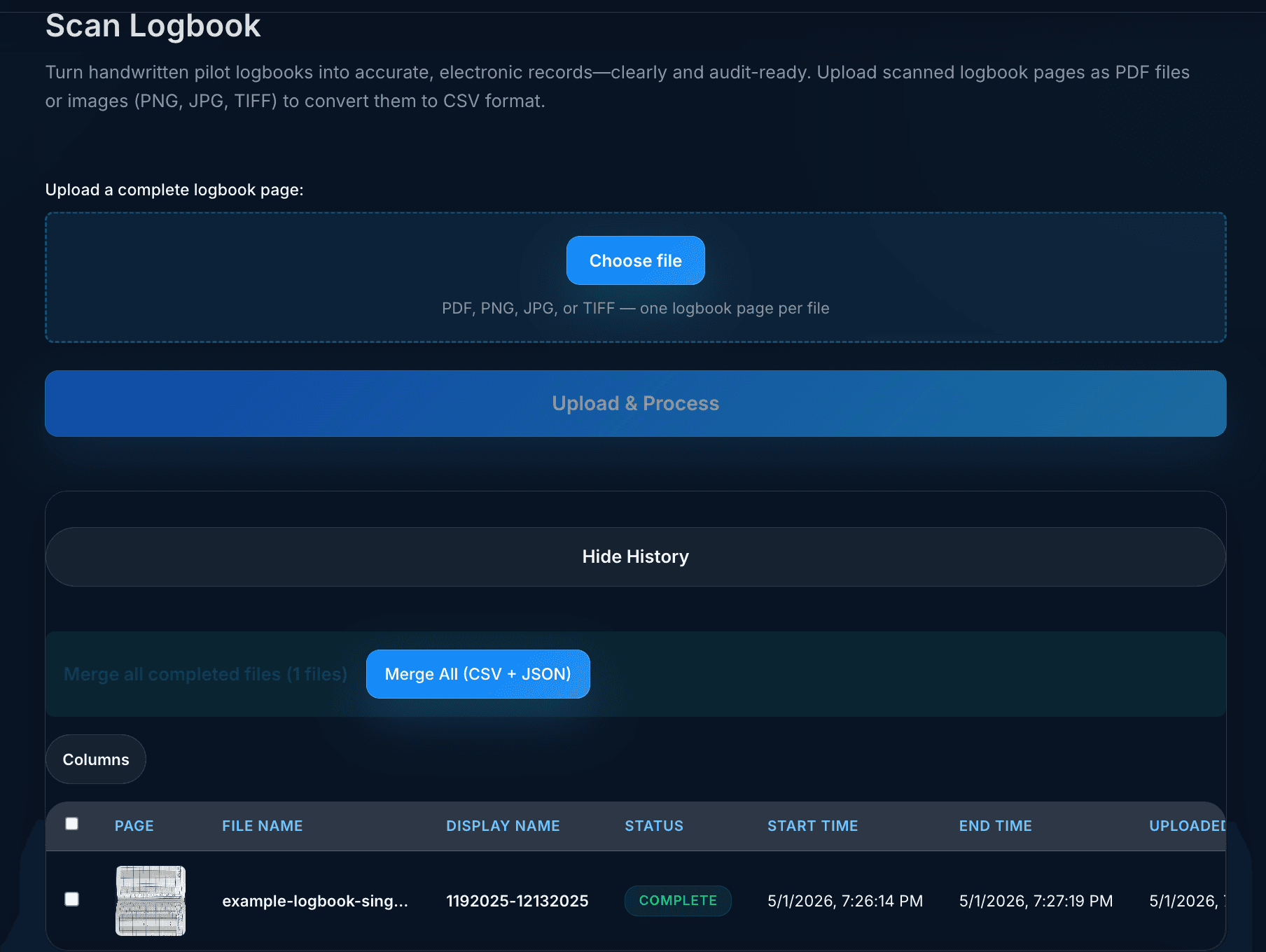
Upload PDFs or images, use free preview pages, process scans with Textract + Bedrock, review history, and merge results into combined outputs.

Digital Logbook

Manage every flight

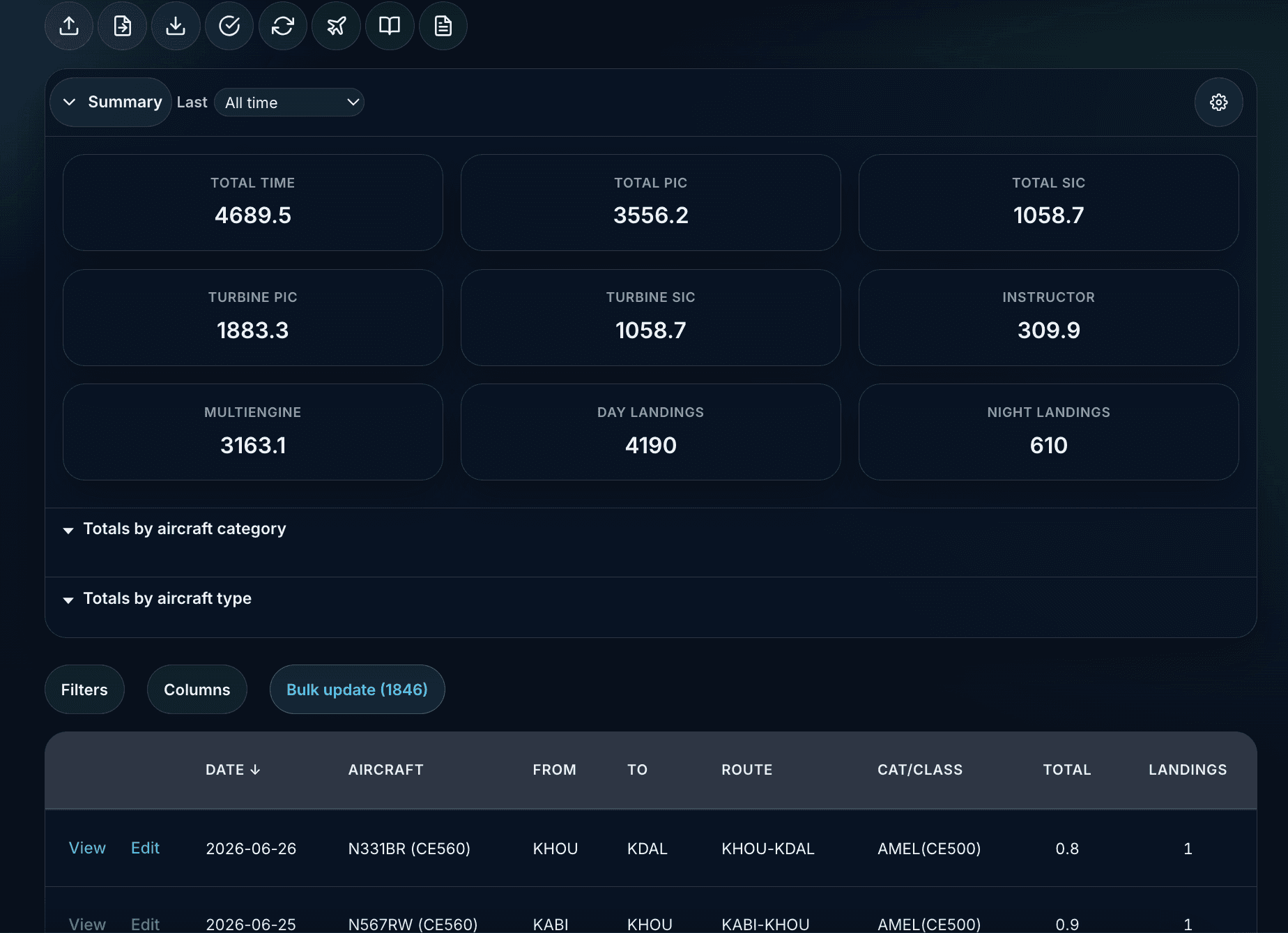
Create, edit, delete, search, attach photos/videos, track configurable totals, import CSV/JSON, export reports, and use ICAO airport and aircraft lookups.

Flight Detection

Capture flights automatically

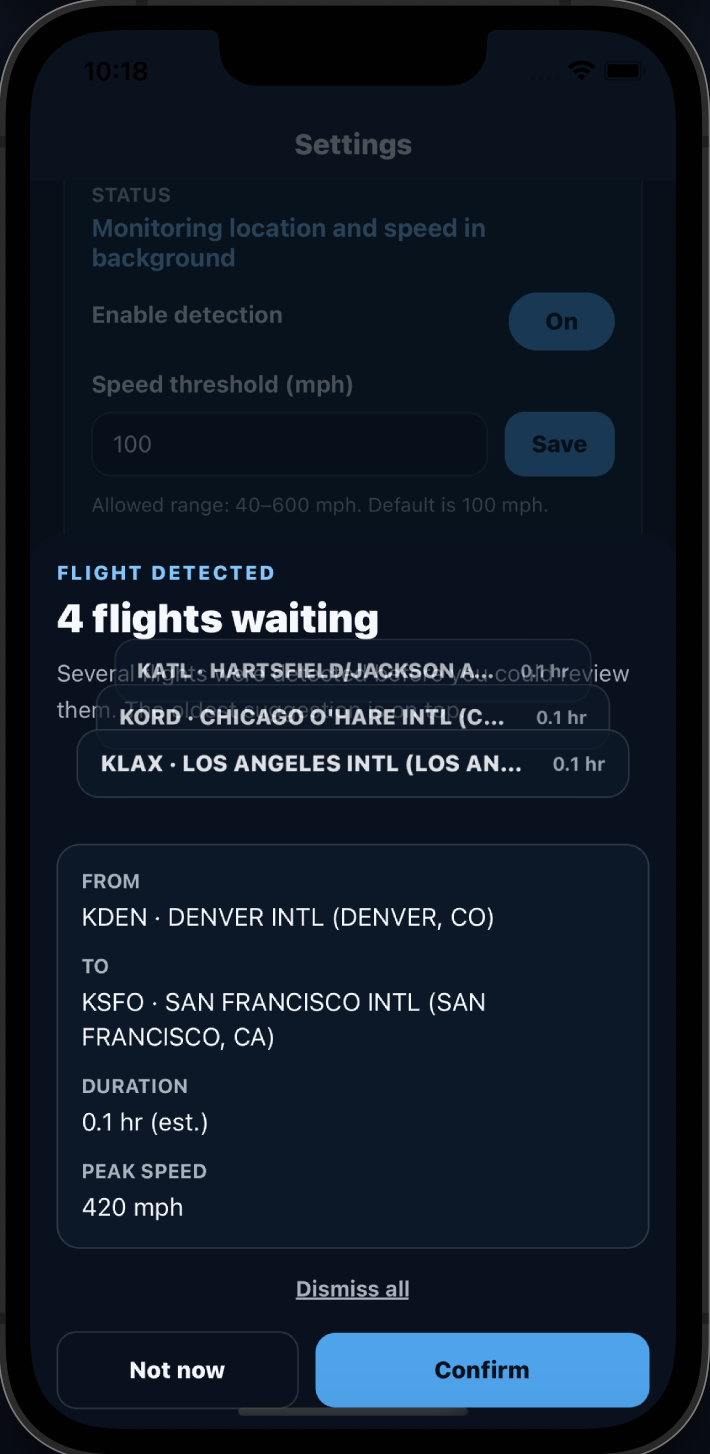
Mobile GPS monitoring detects takeoff and landing, matches nearest airports, applies aircraft defaults, and suggests entries for confirmation.

Validation

Find issues before they matter

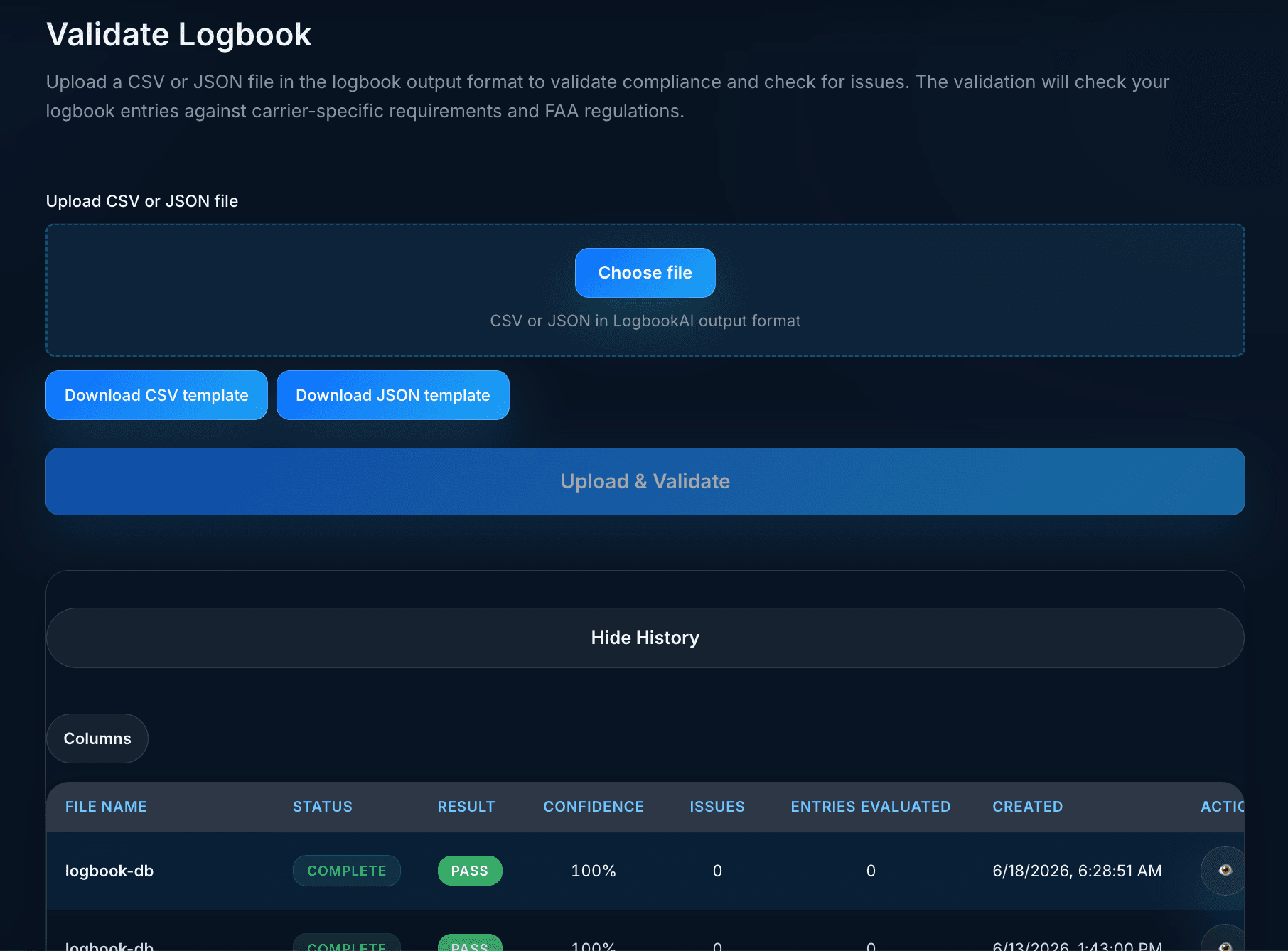
Validate saved entries or uploaded files against carrier profiles, compliance logic, currency checks, and discrepancy reports.

Analytics

Understand your flying

Flight Insights charts for hours by month, category/class, airports, aircraft type, and configurable time-field summaries—with exportable reports.

Pilot Currency

Track FAA recency

Passenger carrying, instrument currency, and flight review status computed from your logbook with expiring-soon alerts.

Resume Analysis

Support applications and milestones

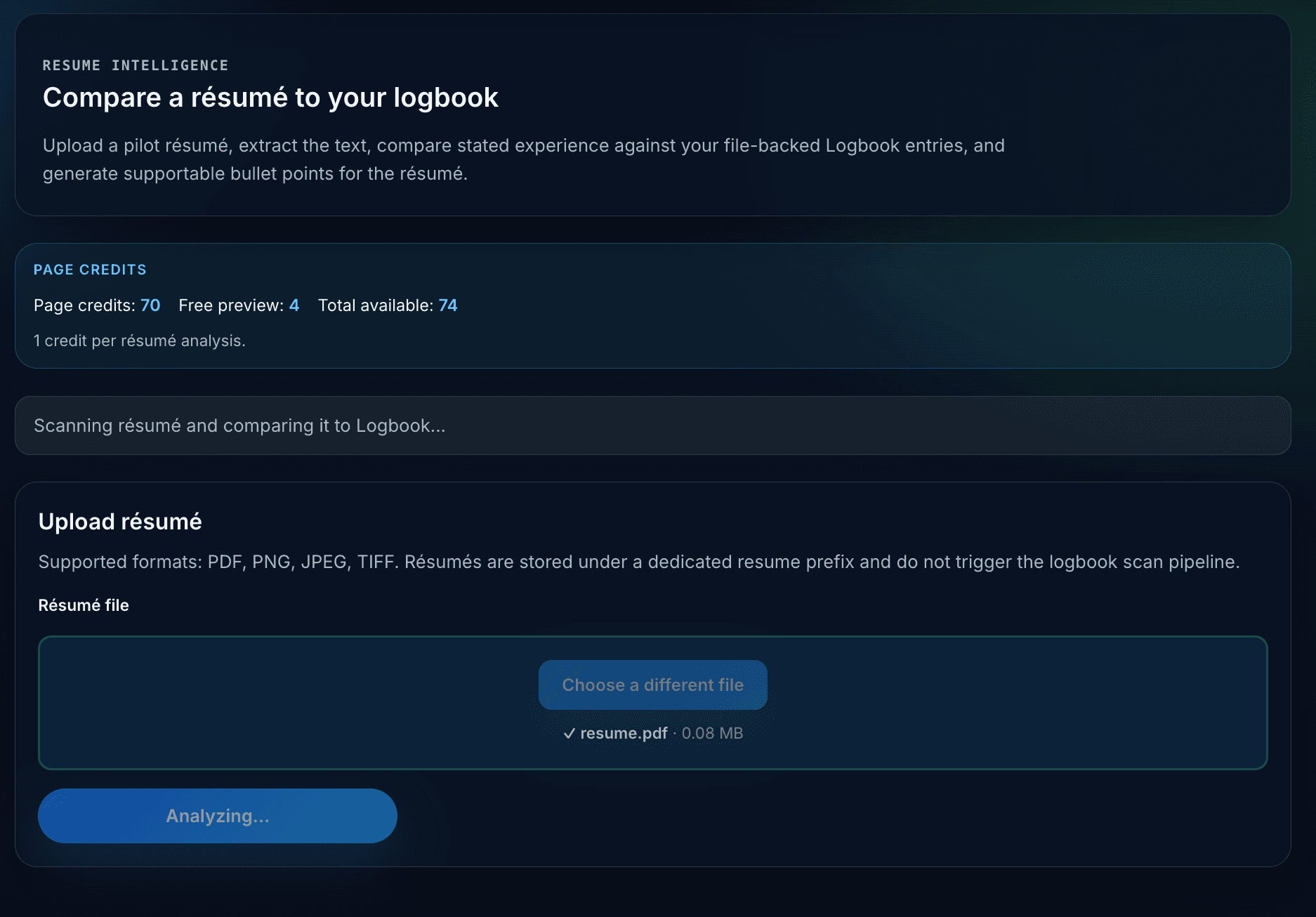
Compare claimed résumé hours to verified logbook totals, surface discrepancies, and generate supportable bullet suggestions for career applications.

Sharing

Share your flying story

Create Flight Cards, Journey Recaps, monthly and annual summaries, and milestone cards with privacy controls and native sharing.

From paper records to flight intelligence

Scan, organize, validate, analyze, and share. The workflow is built for pilots who need clean records for training, endorsements, instruction, applications, operators, audits, insurance, currency, and long-term backup.

01

Scan

Upload PDFs/images or use the native mobile scanner to capture paper logbook pages.

02

Organize

Review entries, edit complete logbook fields, attach media, import files, and sync across web and mobile.

03

Validate

Run compliance, currency, carrier-profile, totals, and discrepancy checks with downloadable reports.

04

Analyze

Open Flight Insights analytics, check pilot currency, map routes, compare résumé claims, and download PDF or CSV reports.

05

Share

Create Journey Recaps, monthly and annual summaries, privacy-aware Flight Cards, and milestone cards for social sharing.

Validation, résumé analysis, and reports

Go beyond recordkeeping with checks that help pilots detect issues before a checkride, flight review, aircraft checkout, audit, insurance review, airline interview, or application deadline.

Discrepancy detection

Request sample →
TypeDescriptionSeverity
ArithmeticPIC + SIC exceeds total timeHigh
RegulatoryNight landings logged without night timeMedium
DataDuplicate entry detected on same date/aircraftLow
CategoryTurbine time logged in piston aircraftHigh
Integrity Engine

Validation beyond OCR

OCR converts the page. LogbookAI goes further by reconciling totals, categories, aircraft types, dates, duplicates, and source references.

  • PIC/SIC/total-time arithmetic checks
  • Aircraft category and class consistency
  • Duplicate and overlapping entry detection
  • Human review and approval before publishing
Traceability

Every number tied to evidence

Preserve the connection between source scans and structured entries so records can be reviewed, corrected, and defended.

Pilot Readiness

Built for training, reviews, and applications

Create summaries for checkrides, flight reviews, instruction, applications, interview prep, recency, currency, and experience breakdowns.

Built for the desk, the ramp, and the cockpit

Run the full platform from the web, then stay connected on mobile with native scanning, GPS-assisted flight logging, offline edits, sync queues, local notifications, and the same shared LogbookAI account.

LogbookAI on the web is your command center for scanning, importing, editing, validating, mapping, sharing, exporting, billing, and managing your flight records.

Available on the web today

  • AI OCR scan workflow and scan history
  • Complete logbook editor with attachments and route preview
  • Flight Insights analytics with PDF/CSV export
  • Pilot currency dashboard (passenger, instrument, flight review)
  • ICAO airport autocomplete and aircraft lookup
  • Validation PDF and JSON reports
  • Route map with printable PDF/CSV route reports
  • Journey Recap, milestone, and flight share cards
  • Resume vs logbook comparison
  • CSV/JSON import, exports, and PDF reports
  • Credits dashboard and web checkout
Sign up / Sign in to get started

Share your flights beautifully

Flight Cards and recap cards turn logbook entries into polished, privacy-aware visuals—plus new Journey Recap cards with story-driven route maps for social media, training milestones, and career updates.

Journey Recap · New

Story-driven route map share cards

Select a series of flights and generate a Journey Recap with route story, timeline highlights, narrative caption, and a map layout built for sharing.

  • Selected Flights, Monthly, Annual, and Journey recap types
  • Date-range flight picker for recap cards
  • Caption variants with one-click regenerate
  • Privacy modes and field visibility toggles
Flight Cards

Five templates for every kind of flight story

Choose Executive, Airline/Ops Brief, Instagram Photo, Glass/Modern, or Route Map templates. Then control what appears before sharing.

  • Privacy modes: Full Details, Limited, or Anonymous
  • Field toggles for route, aircraft, times, approaches, crew, weather, and remarks
  • Smart highlights for instrument, cross-country, night, or mission-complete flights
  • Privacy-aware AI-style captions with copy/share support
Social Ready

Built for X, Facebook, LinkedIn, Instagram, and native share

Share formatted summaries and attachments today, with PNG image export planned for flight card visuals.

Your pilot profile

Create a public profile page that highlights your aviation story while keeping you in control of what is visible.

Public Profile

Publish only what you choose

Edit your name, slug, bio, location, certificates, and public sections. Choose which logbook-derived totals are visible on your profile page.

Flexible Pricing

Trial, subscription, and credits

Start with a 7-day logbook and map trial, plus 5 free processing tokens to try scan and validation. An annual logbook subscription keeps logbook and map access after the trial. Additional processing credits support AI-heavy workflows such as scan, validation, and résumé analysis.

  • 7-day logbook and map trial
  • 5 free processing tokens included
  • Annual subscription for logbook and map
  • Processing credit packs for scan, validation, and résumé workflows
  • Stripe, Paddle, and PayPal on web
  • Apple In-App Purchase on iOS with restore purchases

Why LogbookAI?

Typical digital logbooks focus on entry storage. LogbookAI adds AI scanning, analytics, pilot currency, validation, résumé analysis, flight detection, printable reports, sharing, profile publishing, and report-ready outputs.

CapabilityLogbookAITypical digital logbook
AI OCR for paper logbooksLimited
GPS flight detectionFew
Flight Insights analytics dashboardLimited
Pilot currency trackingLimited
Printable map & analytics reports
Resume vs logbook analysis
Compliance validation reportsLimited
Journey Recap & milestone share cards
Flight Cards and social sharing
Public pilot profile
Offline-friendly mobile syncVaries

One platform. Every flight. Every record.

LogbookAI helps pilots move from paper records, fragile exports, and disconnected tools to structured, reviewed, traceable aviation data they can manage over an entire career.

How LogbookAI supports aviation integrity

LogbookAI™ by Aviation AI Solutions LLC is designed to help pilots digitize, validate, reconcile, and maintain flight records. The product assists with extraction and organization while keeping the pilot in control of review and approval.

  • Validate — Identify totals, aircraft category, duplicate, and consistency issues.
  • Trace — Maintain references back to original uploaded logbook pages.
  • Publish — Create structured exports and polished summaries for training, review, applications, and backup.
Stay in the loop

Join our newsletter

Get product updates, validation tips, and aviation recordkeeping insights from the LogbookAI team. No spam — unsubscribe anytime.

By subscribing, you agree to receive occasional emails from LogbookAI™ by Aviation AI Solutions LLC. We do not sell your information.

Request a demo

Tell us about your logbooks, scanned pages, training records, flight school needs, or application goals and we’ll help you evaluate the best path forward.

Contact

By submitting, you agree to be contacted by Aviation AI Solutions™. We do not sell your information.

Best-fit use cases

  • Student pilot training milestones
  • Instructor and flight school recordkeeping
  • Paper logbook digitization
  • Totals reconciliation and audit reports
  • Airline and career application preparation
  • Personal flight history backup and sharing
Disclaimer: LogbookAI™ by Aviation AI Solutions LLC is a pilot logbook organization, validation, and recordkeeping tool. Users must review and approve outputs and maintain official records per applicable regulations.